
Finding your Organization UID
Last updated September 2, 2026
Locate Your Organization UID in Dash
Your Organization UID uniquely identifies your organization within Dash.
To locate it:
- Go to the Dash portal.
- In the left navigation menu, click Settings to expand the available options.
- Click My Organization.
- Under Organization Information, locate the value next to Organization UID.
- Click the copy icon next to the value to copy it.
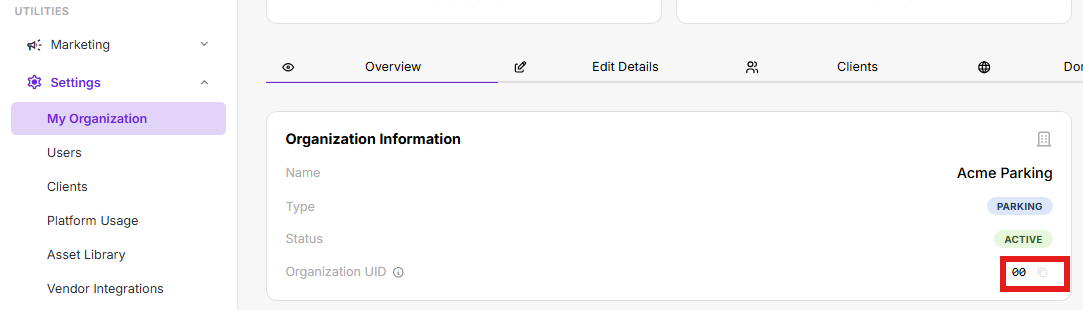 ![uid]
Was this page helpful?