
Trigger: Form Submission
Last updated August 28, 2026
Fires when someone submits a form on one of your pages.
This is the workhorse trigger for DashPages. Someone scans a QR code, lands on a microsite, fills in the enquiry form — this is what replies to them, or alerts your team, within seconds.
Before you start: read Triggers for the four-step wizard, the Advanced Options, and how templates and delivery work. This page only covers what is different about this event.
Audience filters
Choose Form Submission on the event picker and you land on Which forms.
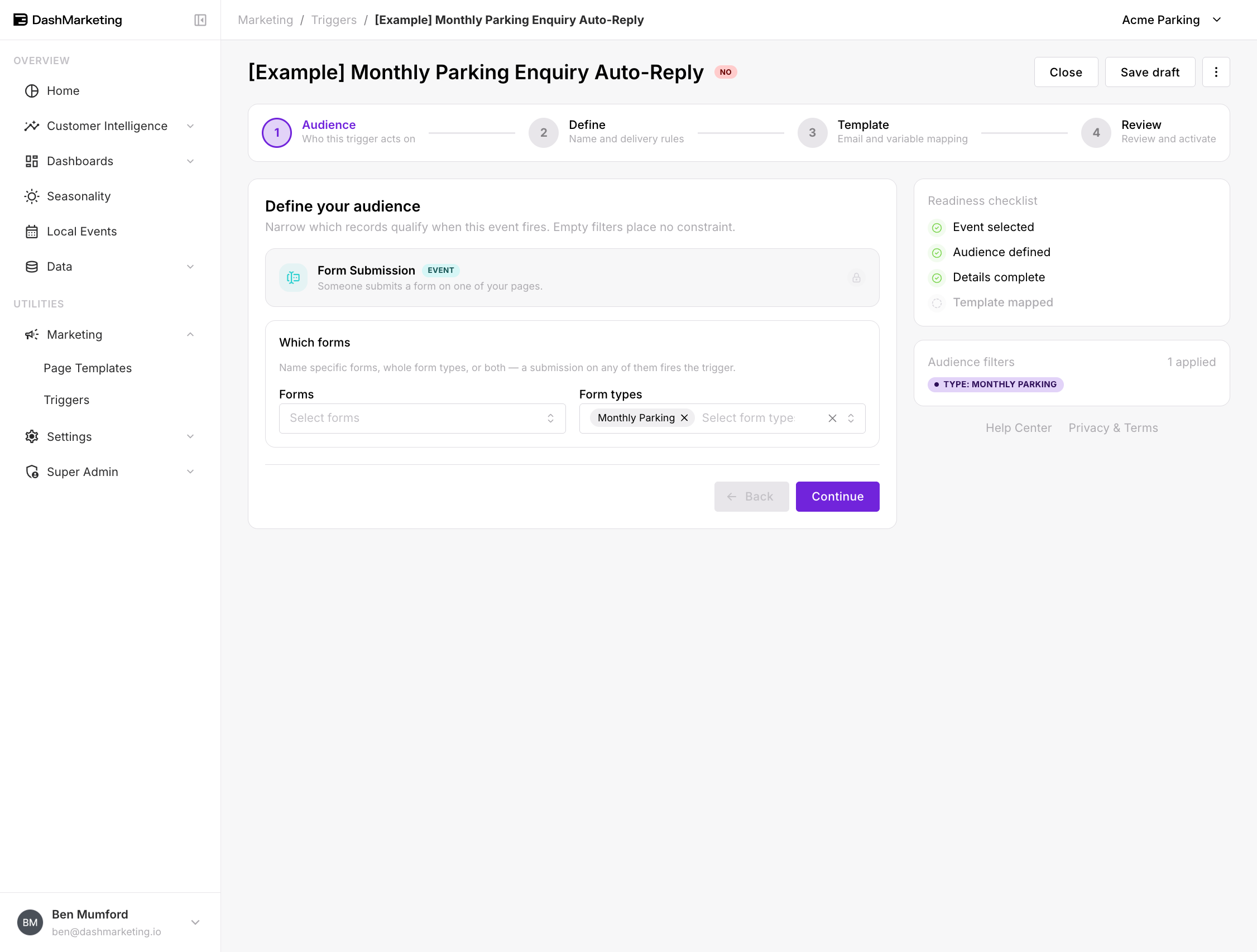 Forms — name specific forms individually. Use this when one particular form needs its own reply.
Form types — target every form of a given type at once. The available types are:
Monthly Parking
Promotions
Advertisement
Check-in
Validation
Onboarding
Reputation Management
You can use both fields together. A submission on any of the named forms or any form of a selected type fires the trigger — the two fields are an OR, not an AND.
⚠️ This is the one event where a filter is mandatory. Every other event lets you leave the audience wide open. Form Submission will refuse to continue with the message "Choose at least one form or form type." If you genuinely want to catch every form submission, select all seven form types.
Naming a specific form is the safer default. Form types will silently pick up any new form of that type someone adds later, which is convenient when that is what you want and surprising when it isn't.
Worked example
[Example] Monthly Parking Enquiry Auto-Reply — saved in the account as a draft, switched off.
| Setting | Value |
|---|---|
| Event | Form Submission |
| Form types | Monthly Parking |
| Forms | (none — all Monthly Parking forms) |
| Trigger Name | [Example] Monthly Parking Enquiry Auto-Reply |
| Priority | 0 |
| Stop after this trigger | Off |
| Channel | |
| Recipient | {{EMAIL}} |
| From Email | (default sender) |
| Status | Off |
What it does. Someone fills in a monthly parking enquiry form on any of your pages. They immediately get an acknowledgement — rates, what happens next, who will call them. No one on your team has to watch an inbox for it.
Variation worth considering. Change the recipient from {{EMAIL}} to your sales inbox and the same trigger becomes an internal alert instead of a customer reply. Build both, set the customer one to priority 0 and the internal one to priority 10, and leave Stop after this trigger off on both so they each send.
 ---
---
Things that catch people out
A blank form type is not "all forms." It is a validation error. See the warning above.
Forms and form types are OR, not AND. Selecting the form "Meridian Enquiry" and the type "Promotions" fires on Meridian Enquiry submissions and on every Promotions form. It does not restrict to Meridian Enquiry forms that happen to be Promotions.
New forms inherit type-level targeting. If you target the Promotions type and someone builds a new Promotions form next quarter, this trigger starts firing on it without anyone changing the trigger.
Was this page helpful?