
Local Events
Last updated August 27, 2026
Overview: The Local Events page surfaces nearby community, entertainment, and civic events near each parking location so operators can anticipate demand spikes. It combines a calendar heatmap, category and venue breakdowns, and a searchable events table, plus a geographic Map view of event density.
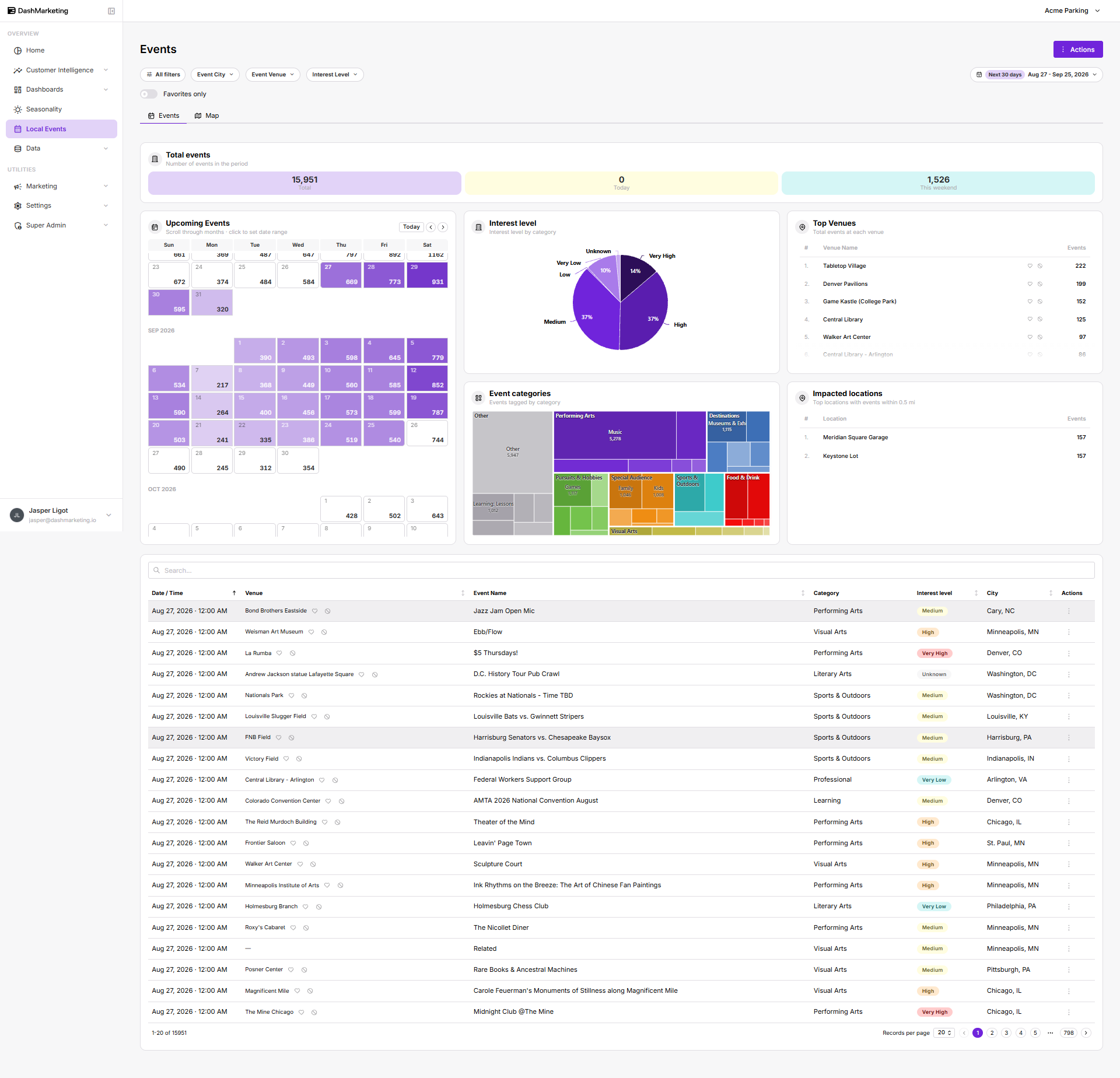
| # | Element | What it does |
|---|---|---|
| 1 | All filters | Opens a filter drawer grouped into Location (Event City) and Operations (Event Venue, Interest Level) sections, plus a Clear all link. |
| 2 | Event City / Event Venue / Interest Level pills | Quick dropdown filters duplicated from the drawer, applied directly from the toolbar. |
| 3 | Date range picker | Sets the reporting window (default Aug 17 – Sep 15, 2026); drives every card, chart, and the events table below. |
| 4 | Favorites only toggle | Restricts all data on the page to venues the user has starred as favorites. |
| 5 | Events / Map tabs | Switches between the dashboard/table view and a geographic Map view showing clustered event-density markers. |
| 6 | Total events summary cards | Shows Total, Today, and This Weekend event counts for the selected period. |
| 7 | Upcoming Events calendar | Month-by-month heatmap of daily event counts; Today button and arrow controls change the visible month. |
| 8 | Interest level donut | Breaks down events by interest rating: Unknown, Very Low, Low, Medium, High, Very High. |
| 9 | Top Venues list | Ranks venues by total event count, with quick favorite (heart) and hide (eye-slash) icons per row. |
| 10 | Event categories treemap & Impacted locations list | Treemap visualizes event volume by category (Performing Arts, Visual Arts, Food & Drink, Destinations, etc.); Impacted locations lists nearby parking locations with the most events within 0.5 mi and their event counts. |
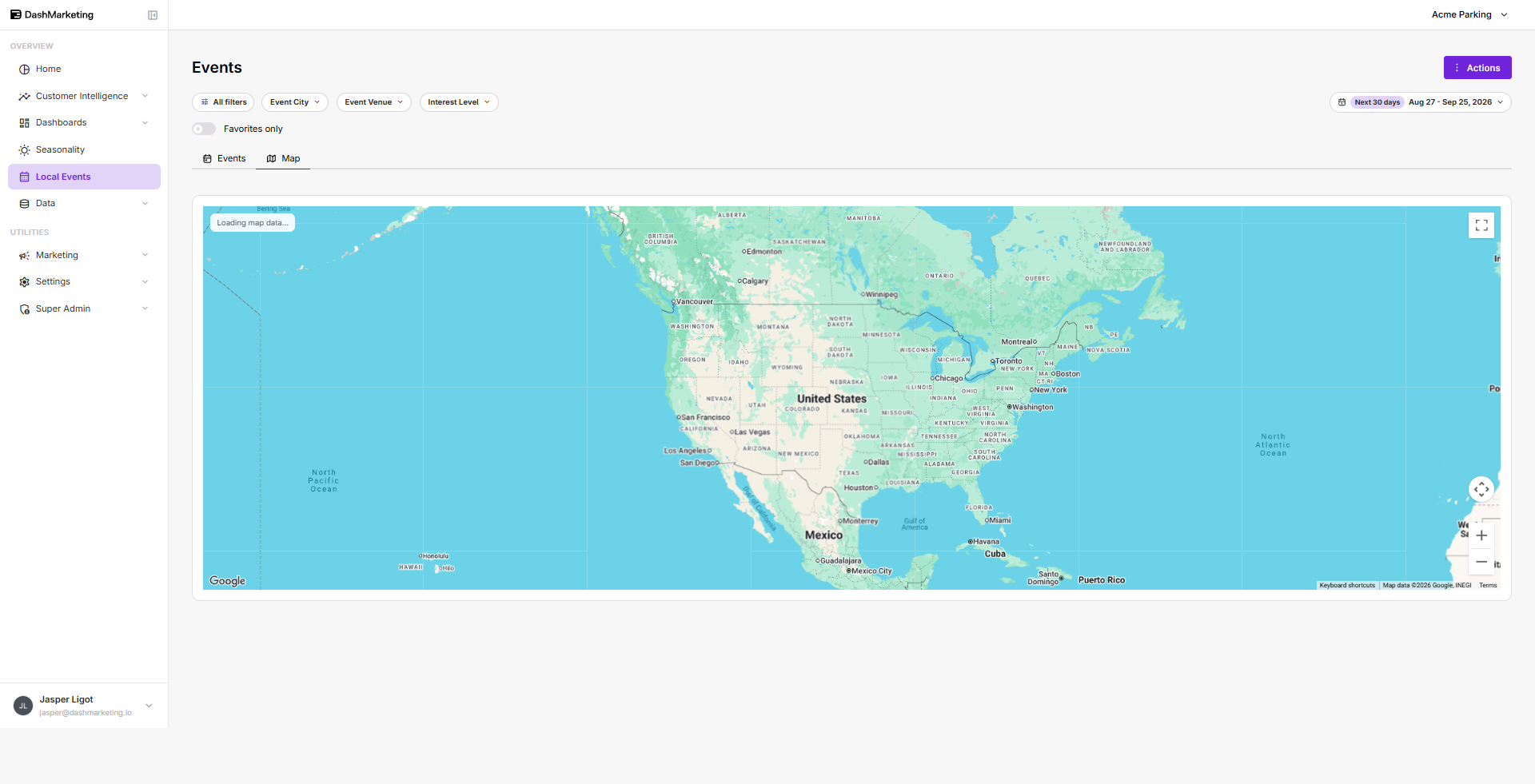
| # | Element | What it does |
|---|---|---|
| 1 | Map basemap & markers | Interactive Google Map with circular markers sized/colored by event count (red = high volume, yellow/orange = smaller clusters); the blue dot marks the parking location itself. |
| 2 | Zoom / fullscreen / recenter controls | Map controls allow the user to zoom in/out, expand the map to fullscreen, and recenter the map on the relevant location. |
| 3 | Shared filters, date range & tabs | The All filters, Event City / Venue / Interest Level pills, date range picker, and Events / Map tabs remain active here and apply identically to both views. |
Was this page helpful?