
Deleting a Form
Last updated August 27, 2026
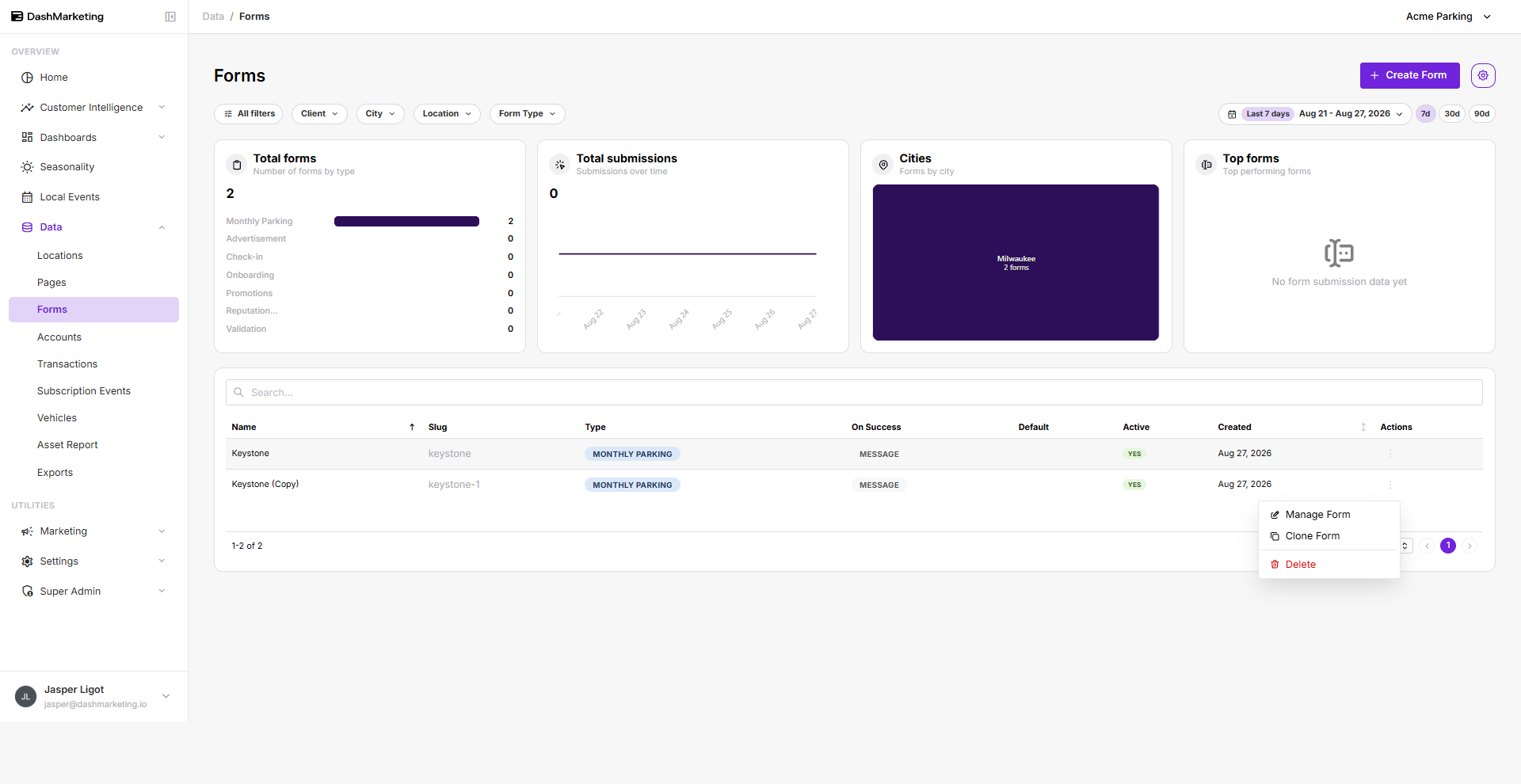
To delete a form, select the form you want to delete, click the vertical ellipsis on the right side, then choose Delete.
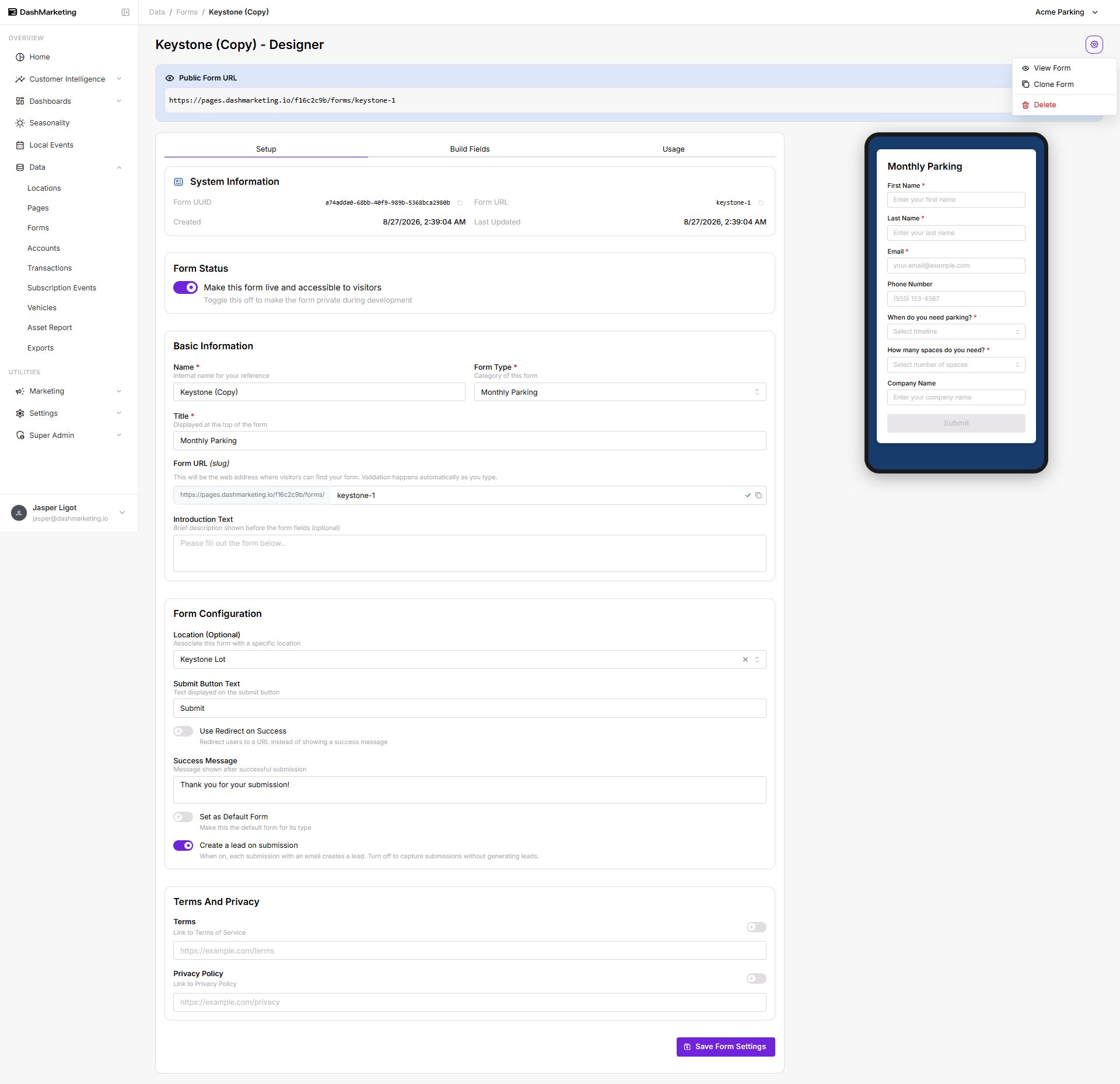
 Alternatively, you can open the form you want to delete, click the settings icon in the upper right-hand corner, then select Delete.
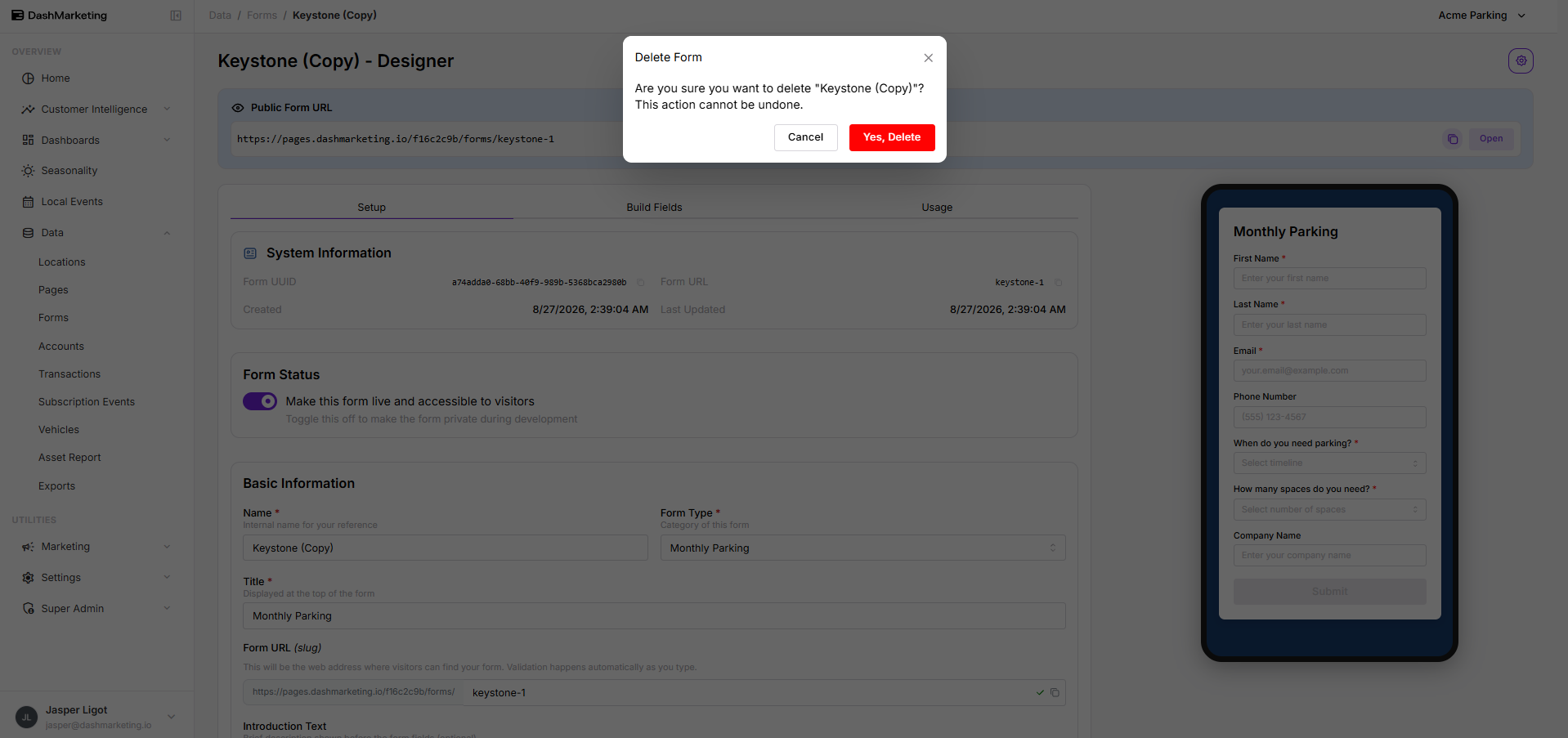
 A confirmation message will appear. Click Yes, Delete for the form to be deleted.
Was this page helpful?