
Editing Location Details
Last updated August 26, 2026
locationThis guide covers the Edit Details tab, where you update a location’s identity, address, and organizational assignment. It’s also opened by the “Edit Location” action in the header banner Actions menu (same form).
Address fields
Street address, city, state, and zip live here, plus an optional Address Extension field for a suite, lot letter, or building label (e.g. “Lot B, Rear Entrance”).
Organization fields
Client and Location Group link a location to a parent client record or grouping. On Keystone Lot these fields appeared disabled/read-only, so this assignment likely happens elsewhere (e.g. at creation time) or needs a different permission level.
Known issue
Region and Opening Date did not save during testing — the dropdown/calendar controls did not respond as expected. This looks like a portal bug; if you hit the same issue, try again or contact support.
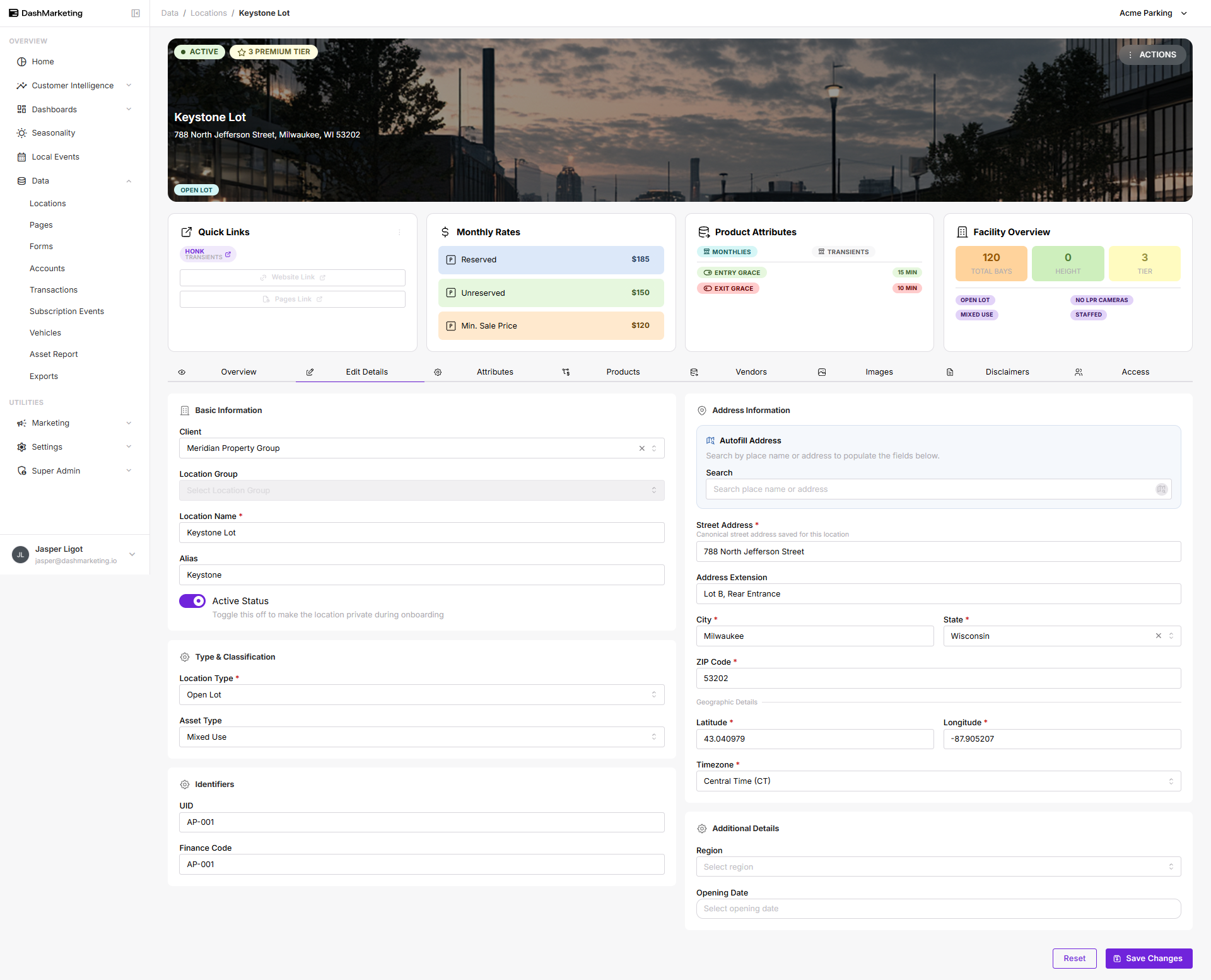 Above: the Edit Details tab showing Basic Information and Address Information filled in for Keystone Lot.
Was this page helpful?