
Managing Products
Last updated August 27, 2026
locationThis guide covers the Products tab, where product types (rate plans / service offerings) are activated for a location and given product-specific attributes.
How it works
Use Add Product Attributes to select a product type and activate it for the location. Each activated product becomes its own card below, showing its attribute count and Active/Inactive status. Click into a card's fields to fill in product-specific details (e.g. rates or vendor notes).
Products configured on Keystone Lot (worked example)
9 of 9 available product types are activated: Transients, Monthlies, Dash Pages, Enforcement, Flex Pass, Prebook, Scan to Pay, Valet, and Validations.
Of these, 2 have attributes filled in:
- Transients (1 attribute) — a Honk vendor note: "Bookable via Honk app."
- Monthlies (3 attributes) — Minimum Rate $120, Reserved Rate $185, and Unreserved Rate $150. These feed the Monthly Rates widget on the Overview tab.
Known gap
The remaining 7 activated products (Dash Pages, Enforcement, Flex Pass, Prebook, Scan to Pay, Valet, Validations) have 0 attributes configured on Keystone Lot. This is expected for a worked example — not every product type needs attributes, but it's worth reviewing each product to confirm nothing was missed before going live.
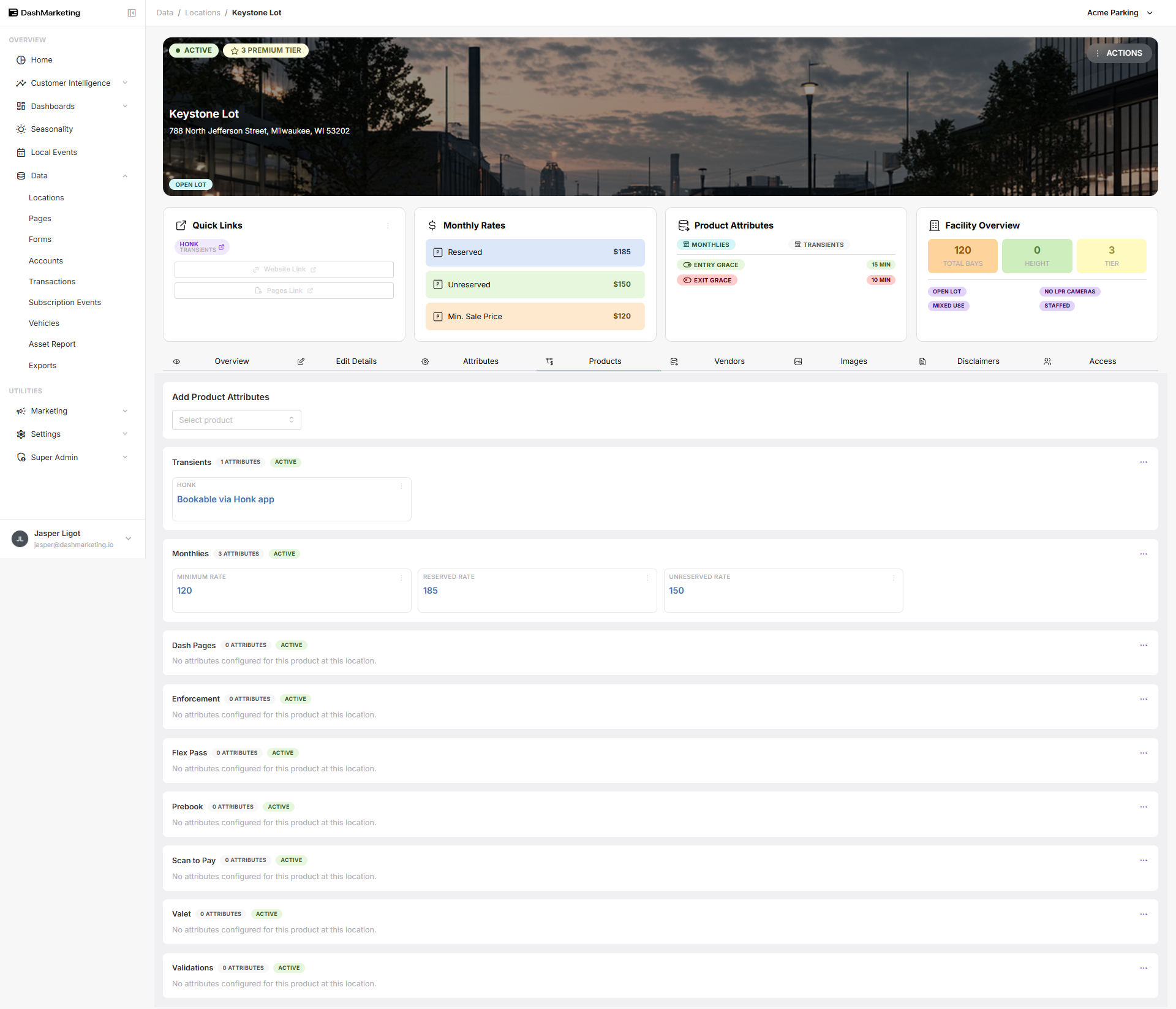 Above: the Products tab for Keystone Lot showing the Transients and Monthlies cards with their attributes filled in.
Was this page helpful?