
Platform Audit
Last updated October 15, 2026
Exporting Platform Usage to Excel
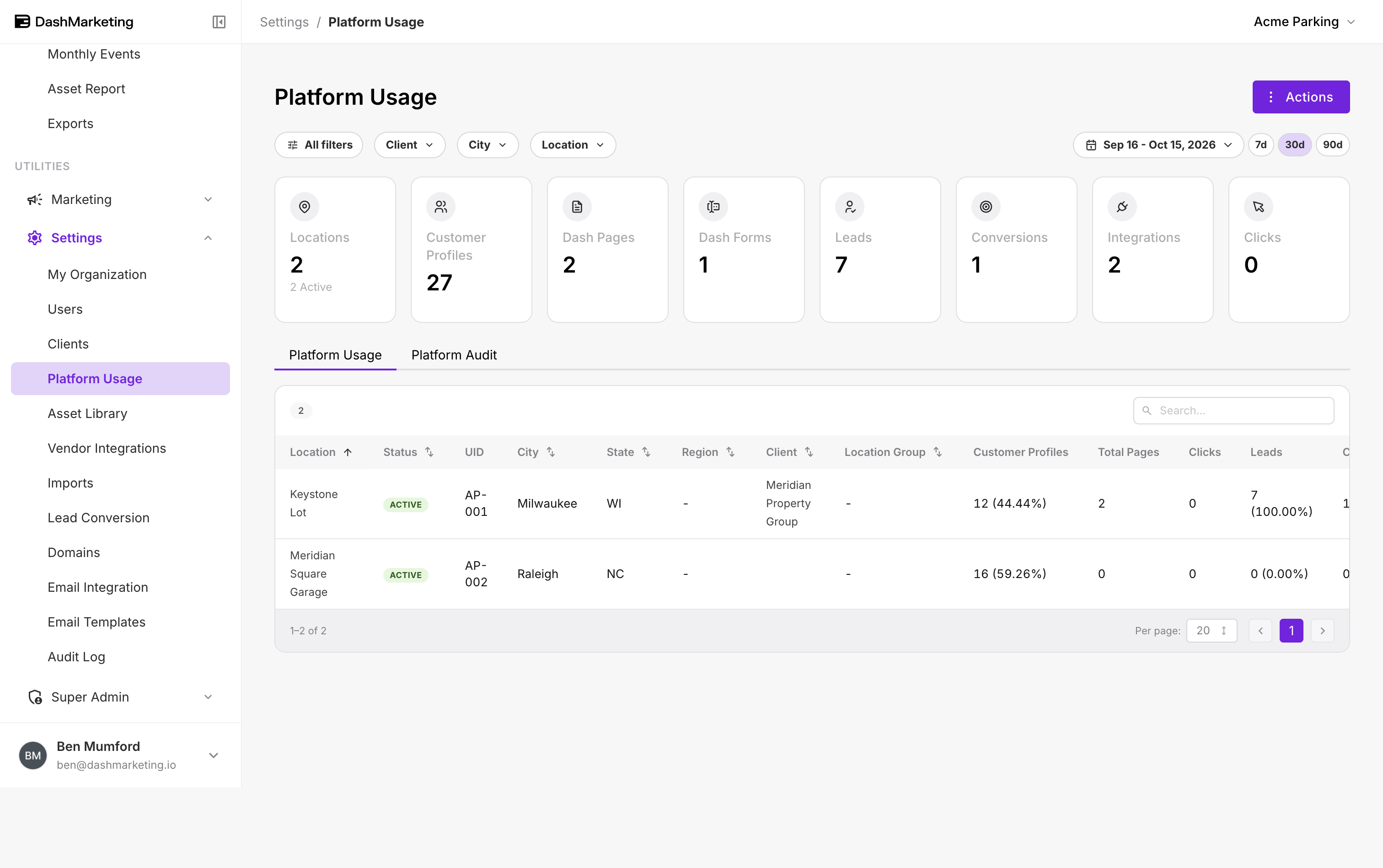
Overview: The Platform Usage page shows how much of Dash your organization is using, location by location: profiles, pages, forms, leads, conversions, integrations and setup completeness. Export to Excel downloads that table so you can reconcile it against your invoice, share it with finance, or split usage by client, city or region.
 ---
---
Export the data
- Go to Settings → Platform Usage.
- Choose the tab you need: Platform Usage or Platform Audit (see below).
- Set your filters and date range (see What the export includes).
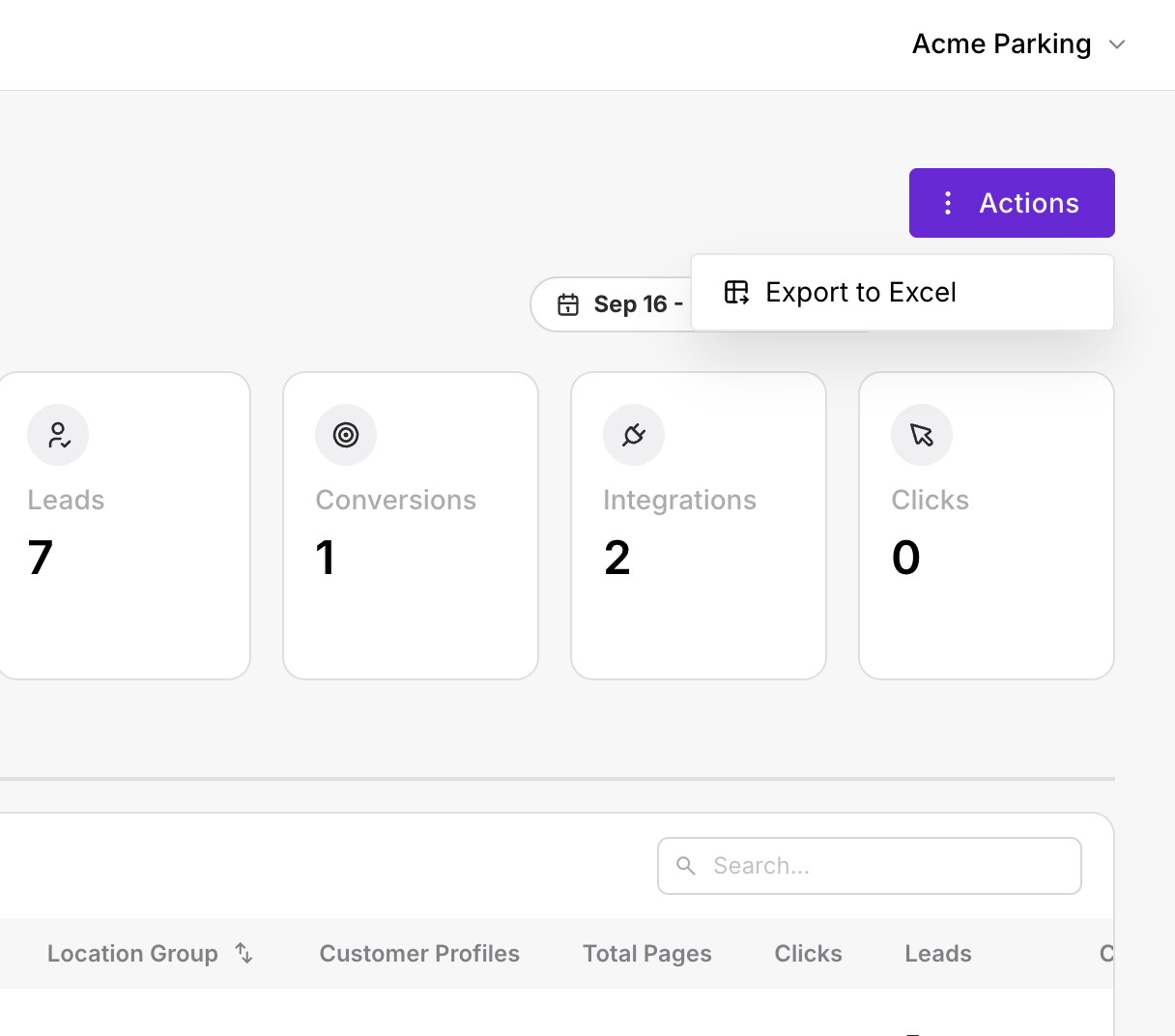
- Select Actions → Export to Excel.
- The file downloads to your computer. Open it in Excel, Google Sheets or Numbers.
 ---
---
Page overview
| # | Element | What it does |
|---|---|---|
| 1 | Actions | Opens Export to Excel. |
| 2 | Filters | Client, City and Location, plus All filters. |
| 3 | Date range | Sets the reporting window. Quick picks: 7d, 30d, 90d. |
| 4 | Summary cards | Totals for Locations (with how many are active), Customer Profiles, Dash Pages, Dash Forms, Leads, Conversions, Integrations and Clicks. |
| 5 | Tabs | Platform Usage shows activity per location. Platform Audit shows setup per location. |
| 6 | Table | One row per location. Search by name, and sort by Location, Status, City, State, Region, Client or Location Group. |
Which tab to export
Platform Usage: activity per location
Use it to see where Dash is being used and where it isn't.
| Column | What it shows |
|---|---|
| Location | Location name. |
| Status | Active or inactive. |
| UID | Your location ID. |
| City / State / Region | Where the location is. |
| Client | The client the location belongs to, if any. |
| Location Group | The group the location belongs to, if any. |
| Customer Profiles | Profiles linked to this location, with its share of your total. |
| Total Pages | DashPages live for this location. |
| Clicks | Clicks on this location's pages in the date range. |
| Leads | Leads captured for this location, with its share of your total. |
| Conversions | Leads converted to a paying parker. |
Platform Audit: setup per location
Use it to reconcile your invoice and check that every location is fully set up.
| Column | What it shows |
|---|---|
| Location / Status / UID | As above. |
| Finance Code | The code your finance team uses for this location. |
| City / State / Region / Client / Location Group | As above. |
| Transient Vendors | Transient vendors connected to this location. |
| Monthly Vendors | Monthly vendors connected to this location. |
| Location Attributes | Attributes completed out of those available, e.g. 29/30. |
| Product Attributes | Product attributes completed out of those available. |
| Dash Pages | DashPages for this location. |
| Dash Forms | DashForms for this location. |
| Vendor UIDs | The vendor and the ID that vendor uses for this location, e.g. PayNow: PN1001. |
What the export includes
The export reflects the tab, filters and date range you have selected when you click Export to Excel:
- Filter to a client before exporting to send that client's usage on its own.
- Clear filters before exporting for an organization-wide total.
- Activity columns (Clicks, Leads, Conversions) cover the selected date range. Setup columns (vendors, attributes, pages, forms) show the current state.
Common uses
| You want to | Do this |
|---|---|
| Reconcile your invoice | Export Platform Audit with filters cleared. Count the active locations using the Status column and compare them with the location count on your invoice. |
| Allocate cost by market | Export Platform Audit, then group by Finance Code, Region, Client or Location Group in Excel. |
| Find locations that aren't set up | Export Platform Audit and sort by Location Attributes, Transient Vendors or Vendor UIDs to find gaps. |
| Report usage to a client | Filter to that Client, then export Platform Usage. |
Tip: If your location count doesn't match your invoice, check Status first, then ask your Dash account manager which date the invoice counted locations on. Locations added or deactivated during the month can make the two differ.
Troubleshooting
| You see | What to do |
|---|---|
| The file is missing locations | Check the filters and the search box. The export only includes what the table shows. |
A location shows - for Finance Code or Vendor UIDs | It hasn't been set yet. Add it in Editing location details or Managing vendors. |
Related
Was this page helpful?